Separate Wear OS watch face
QuvoRetro Clock
The time, and your next introduction. A clean digital clock with space for the QR card you share most. Version 0.1.1 shows the Main QR card name beneath its code.
Compatible Wear OS 4 and later watches. This is not an Apple Watch face.
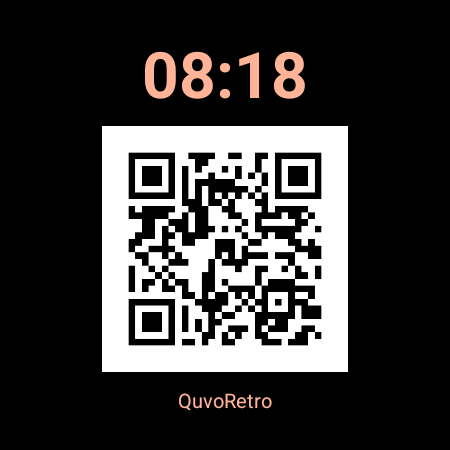
Use it as a clock.
The black background and warm peach text keep the time easy to find. It follows your watch's 12-hour or 24-hour setting. Without a QR data source, the center shows a placeholder.
In always-on mode, the time remains visible while the QR image and card-name label are hidden. Wake the watch to show your QR.
Add your Main QR.
Your own QR comes from the separate QuvoRetro: QR Cards app, a paid phone app with a Wear OS companion. QuvoRetro Clock itself is free; installing the face does not unlock the paid app.
- Install QuvoRetro Clock on your compatible watch and select it in the watch-face picker.
- Install and set up QuvoRetro: QR Cards on your Android phone and paired Wear OS watch.
- Choose a Main QR on the phone and allow it to sync to the watch.
- Edit the watch face and select QuvoRetro Main QR for the center complication. A complication is a watch-face information slot.
Tap the QR to open your Main QR in the watch app. Open the full card for a larger scanning view; scan success depends on screen brightness, QR density and the other device's camera.
Keep the apps straight.
QuvoRetro: QR Cards creates and stores your cards. Its Wear OS app supplies the Main QR complication. QuvoRetro Clock is the separate watch face that displays it. Munkz Fidget Clock is a different development project.